
Sheet metal cutting software for nesting with common flame cutting
| NOTE: This is an optional advanced module and needs to be licensed separately.
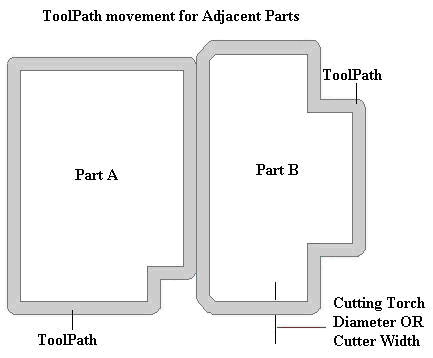
During nesting of parts on sheet, gap has to be maintained between two adjacent parts so that cutting of one part does not affect the other part. Both these adjacent parts have their own cutter path as shown in the figure below:
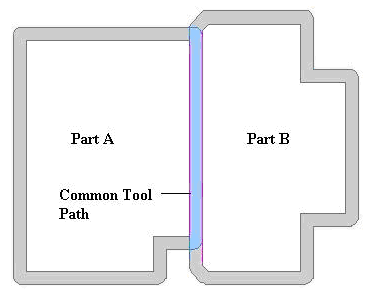
While cutting metal sheets, it may be useful to nest adjacent parts in such a way that they share a common flame/cutter path. When the flame/cutter travels along this common path, it cuts two edges (belonging to two different parts) simultaneously. These edges are parallel to each other and are spaced from each other by a distance equal to the flame diameter/cutter width. These edges are also known as common edges. In the following figure, the common edges are shown in pink color and the common flame/cutter path is shown in blue color.
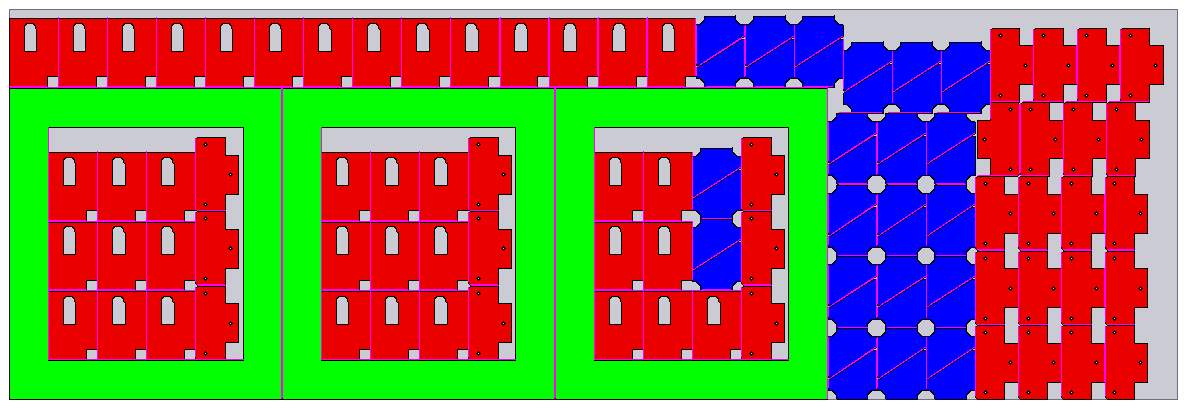
Simultaneous cutting of two edges belonging to two different parts saves a lot of cutting effort and time. Following image shows a sample layout of a job nested with common flame:
|
Quick Links
|